Russia e-Visa: Complete Guide
Citizens of 65 countries can apply for a Russian e-Visa online. The current published Rules API determines whether a supporting invitation is required. This page covers eligibility, the application process, costs, and what to expect.
Official sources
- Russian MFA (mid.ru)— Ministry of Foreign Affairs — official visa policy and consulate directory
- e-Visa portal (evisa.kdmid.ru)— Official unified electronic visa application system
- Consular Department (kdmid.ru)— Consular services, appointment booking, and document legalization
Always verify current requirements with official sources before applying or travelling.
What is the Russian e-Visa?
The Russian electronic visa (e-Visa) is issued entirely online through the official portal evisa.kdmid.ru. It currently permits 1 entry. Citizens of the 65 currently eligible states can use it for private or business visits, tourism, and participation in scientific, cultural, socio-political, economic or sporting events. It is valid for 120 days from issuance and allows a stay of up to 30 days from entry.
The e-Visa replaced earlier regional pilot programs. Entry and exit are permitted only through border crossing points approved by the Government of the Russian Federation; the official portal publishes the current list.
How is e-Visa eligibility determined?
Eligibility is established by the official list of foreign states published for Russia's unified eVisa. RussianVisa.co mirrors that published list through the current Rules API; it does not infer eligibility from tourism, trade, reciprocity or other unofficial criteria. Check your passport country below and confirm it on the official MFA portal before applying.
e-Visa at a glance
The official maximum is 4 calendar days after submission.
The applicable fee is displayed and paid on the official application portal.
Valid for 120 days from issuance. 1 entry.
Maximum 30 calendar days; arrival and departure each count as a day.
How to apply: Step-by-step process
The entire application is completed on evisa.kdmid.ru — the official Russian Ministry of Foreign Affairs portal. Here's exactly what to expect:
Go to evisa.kdmid.ru and create an application
Visit the official portal, register or sign in, and start a new application. Save the application number and account credentials so you can return to the form and check its status.
Fill in personal information
Enter your full name (exactly as in your passport), date of birth, citizenship, passport number, and issue/expiry dates. Double-check every field — even a single typo can result in rejection or denial of entry at the border.
Upload your photo
Upload the photograph requested by the current official form. Follow the portal's live file-format, framing and image-quality instructions rather than relying on saved dimensions from a third-party guide.
Specify travel details
Select a purpose allowed by the current official application form and provide the requested travel details. Follow the supporting-document requirement returned by the published Rules API and confirm the portal's current instructions before submission.
Review and submit
Carefully review all entered information. Once submitted, you cannot edit the application. The system will display your application number — save it along with the password to check your status.
Wait for processing (up to 4 days)
The official processing limit is no more than 4 calendar days. You can check the status on the same portal using your application number. If approved, you'll see a confirmation with your e-Visa details. Print it or save it on your phone.
Travel to Russia
Present your printed or saved e-Visa notification together with your passport at an approved Russian border crossing point. The permitted stay of up to 30 days begins on the day of entry.
Visual walkthrough: evisa.kdmid.ru
Below are actual screenshots from the official Russian e-Visa portal showing each stage of the application process.
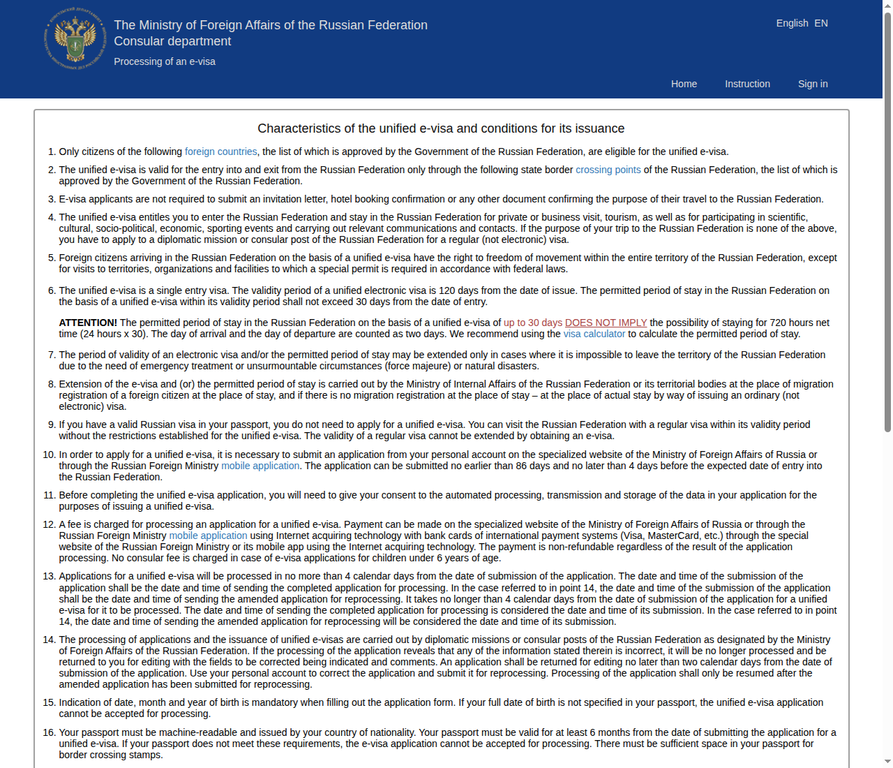
Homepage — Read the conditions
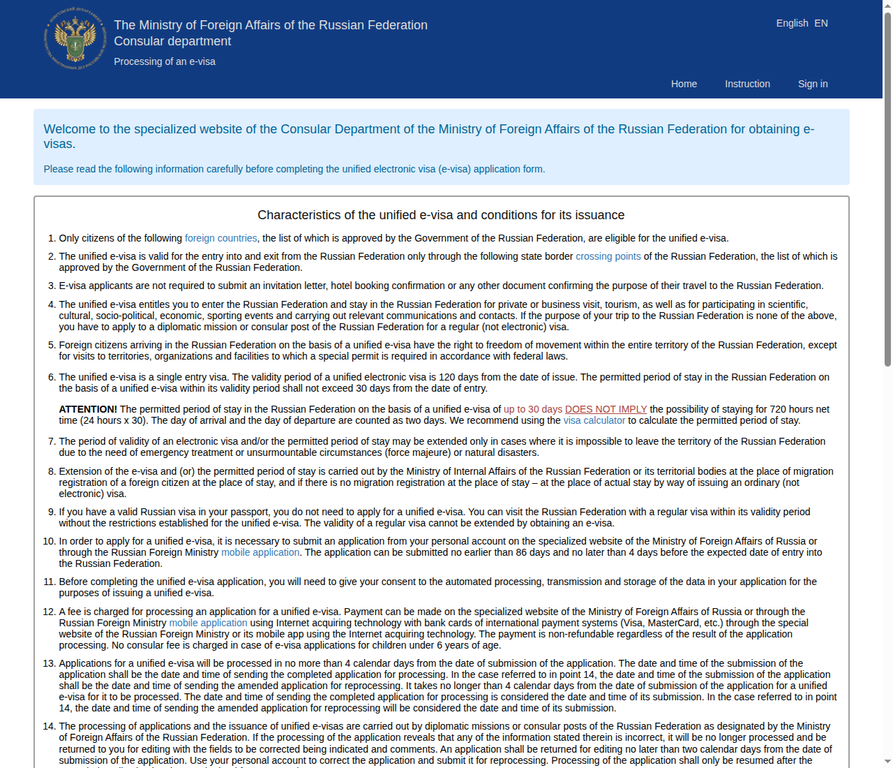
The official portal opens with a detailed list of 20 conditions for the unified e-Visa. Read them carefully — they explain validity periods, entry points, and stay limits.
Consent checkboxes — Agree to terms
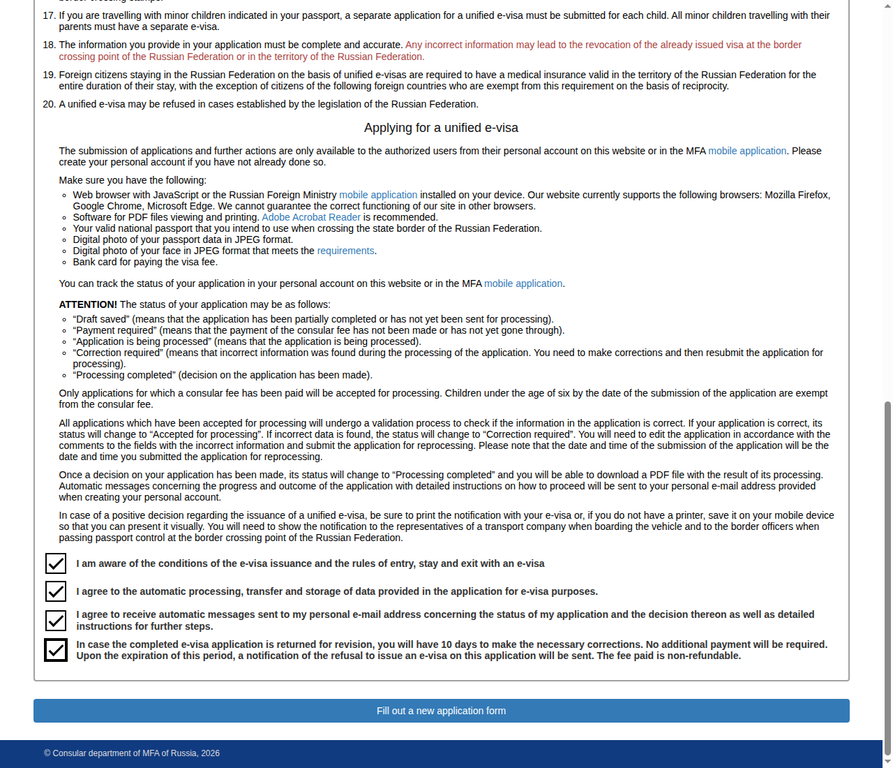
Review every consent statement displayed by the current official portal, confirm the statements that apply, and use the form button to continue. Portal wording and form controls may change after this screenshot was captured.
Sign in or register
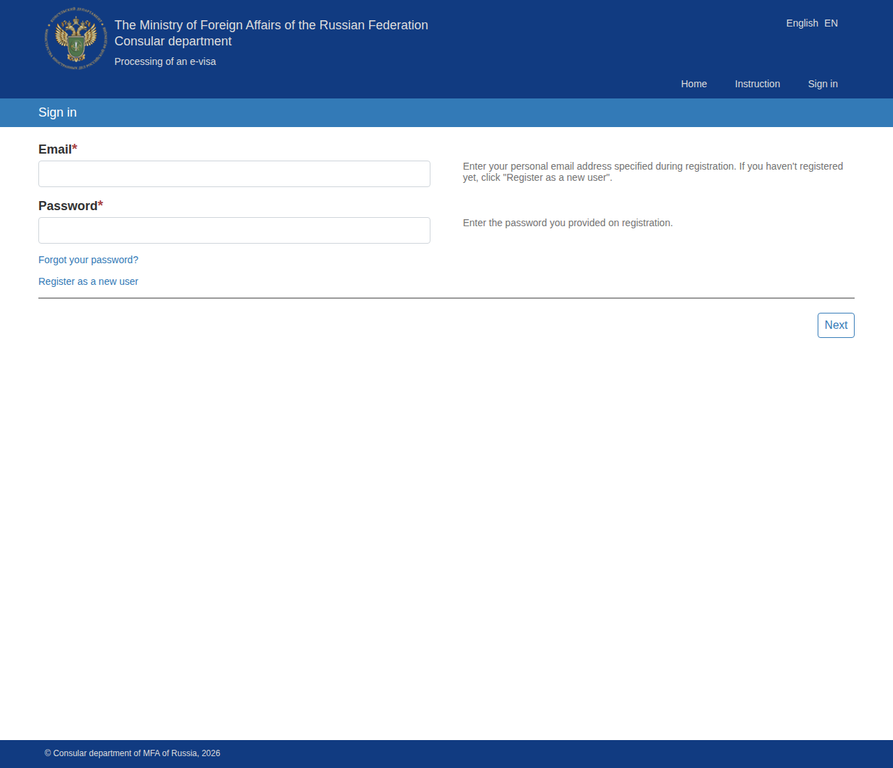
If you already have an account, sign in with your email and password. First-time applicants should click "Register as a new user" to create an account.
Registration form — Create your account
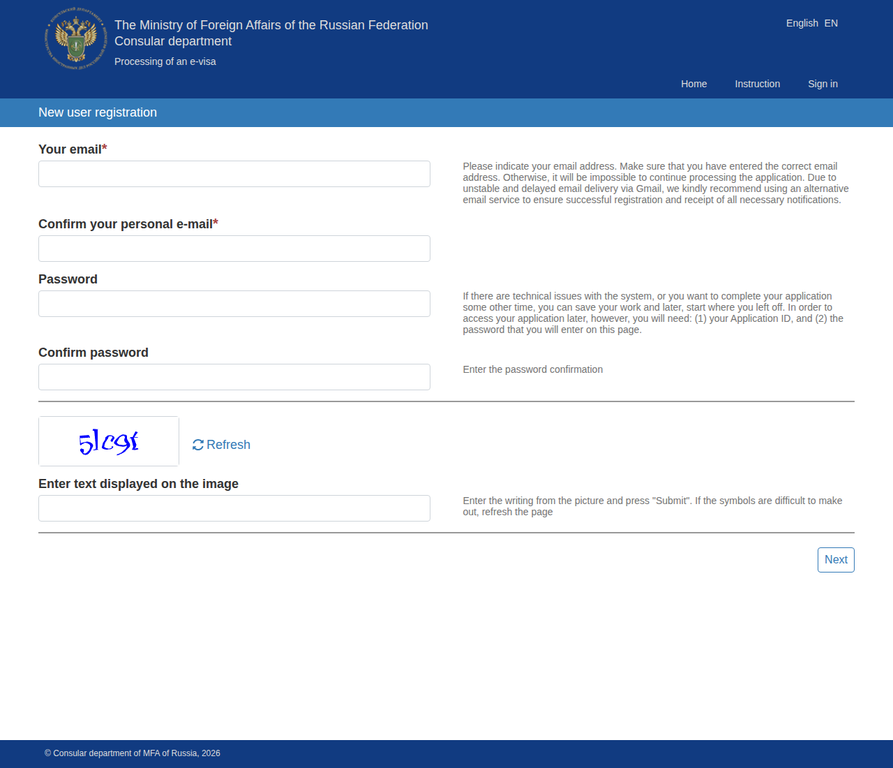
Enter the email address and account details requested by the current portal, complete its verification step, and retain the application credentials needed to check status later.
Instruction page — Official requirements
The instruction page is the authoritative current checklist for passport, photograph, payment and other application requirements. It also explains application statuses and processing timelines; follow that live checklist rather than saved third-party specifications.
Note: After registration, you'll fill in a multi-page form with your personal details, passport information, travel plans, and upload your photo. Once submitted, the official processing limit is no more than 4 calendar days.
Common mistakes to avoid
The name on your e-Visa must be identical to your passport. If your passport says "MOHAMMED" but you type "Muhammad," you may be denied entry.
The e-Visa is valid for 120 days from issuance. Apply no earlier than 86 days and no later than 4 days before your expected entry. Last-minute applications risk not being processed in time.
Enter and leave only through a border crossing point included in the current official Government-approved e-Visa list.
Day of entry counts as day 1, regardless of arrival time. Plan your departure within the permitted 30-day stay and before the e-Visa expires.
Follow the current official portal instructions for presenting the eVisa notification and keep it accessible together with the passport used in the application.
Frequently asked questions
Extension is allowed only when departure is impossible because of emergency treatment, force majeure or a natural disaster. A planned longer stay requires the appropriate regular visa before travel.
The published rule currently permits 1 entry. Confirm the applicable route in the Visa Checker before planning another entry.
The current published eVisa rule does not require an invitation.
The applicable fee and any exemptions are displayed by the official MFA application portal. RussianVisa.co does not publish a fixed government fee because the current portal is the authoritative payment source.
Follow the status and instructions shown in your official portal account. Before submitting another application, verify the entered data, uploaded files and current eligibility rules. If the eVisa route is unavailable, check the appropriate regular visa route with the responsible Russian mission.
All 65 e-Visa eligible countries
Click any country to see its detailed e-Visa guide — specific requirements, processing tips, and nearest Russian consulates.